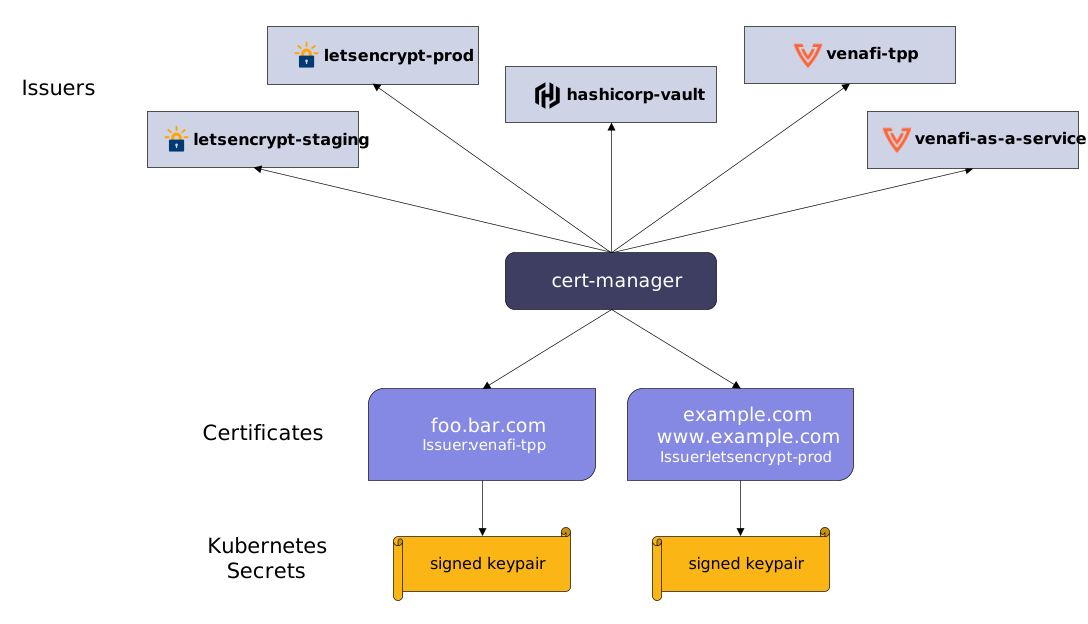
Cert-manager adds certificates and certificates issuer as resource types in Kubernetes clusters and simplifies the process of obtaining, renewing, and using those certificates. It is running by jet stack under an open-source project.
Installation
Let’s use Helm to install cert-manager. Start by adding the appropriate repo:
helm repo add jetstack https://charts.jetstack.io
helm repo update
helm install \
cert-manager jetstack/cert-manager \
--namespace test \
--create-namespace \
--version v1.11.0 \
--set installCRDs=trueIssuer
apiVersion: cert-manager.io/v1
kind: Issuer
metadata:
  name: selfsigned-issuer
  namespace: test
spec:
selfSigned: {}- Self-signed certificate
apiVersion: cert-manager.io/v1
kind: Certificate
metadata:
  name: test-ca
  namespace: test
spec:
  isCA: true
  commonName: test-ca
  subject:
    organizations:
      - ACME Inc.
    organizationalUnits:
      - Widgets
  secretName: test-ca-secret
  privateKey:
    algorithm: ECDSA
    size: 256
  issuerRef:
    name: selfsigned-issuer
    kind: Issuer
    group: cert-manager.io
Cluster Issuer
- Self-signed certificate
apiVersion: cert-manager.io/v1
kind: ClusterIssuer
metadata:
  name: selfsigned-cluster-issuer
spec:
selfSigned: {}- Let’s encrypt
apiVersion: cert-manager.io/v1
kind: ClusterIssuer
metadata:
  name: letsencrypt-prod
spec:
  acme:
    email: app.subdomain@example.com
    server: https://<server>.letsencrypt.org/directory
    privateKeySecretRef:
      name: letsencrypt-prod
    solvers:
      - http01:
          ingress:
            class: traefik-cert-manager
Important to note here is that we will be using an Issuer and not a ClusterIssuer. The main difference between the two is that an Issuer can only issue certificates within the same namespace! If you want your CA to issue certificates in other namespaces as well, you will have to use the ClusterIssuer.